VirtualVault is now VirtualVault AI Studio. Image, video, voice, apps and faceless video on one credit balance.

Start Creating

One AI Studio. Everything You Post.

VirtualVault AI Studio is your AI image generator, AI video generator and voice studio in one place. Create with top models like Veo, Kling, Nano Banana and ElevenLabs, or type one topic and get a finished video up to 10 minutes long.

  • Top ModelsVeo, Kling, Nano Banana and ElevenLabs
  • One LoginEvery tool in one place
  • Failed Run?Your credits come back automatically

Start Anywhere. Finish Here.

Begin with an image, a clip, a voice or just an idea. Every tool shares one login and one credit balance.

Image

Generate, edit and restyle images from a prompt or your own references.

  • Create thumbnails, posters, ads, product photos and characters.
  • Edit by describing the change, such as "make it night time."
  • Add up to 12 reference images, depending on the model.
  • Choose from 12 one-click looks, from Cinematic to Anime.
  • Make up to 4 images in one run.
Prompt

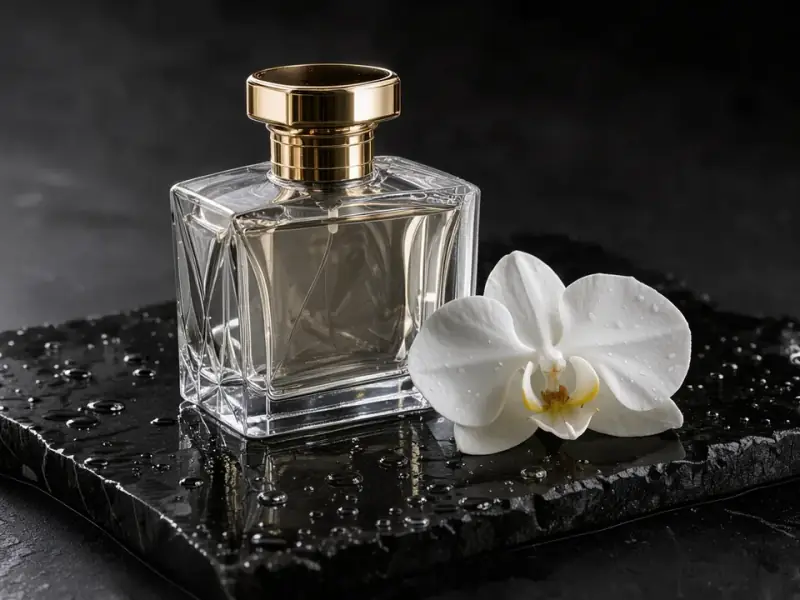
Glass perfume bottle on wet black stone, soft rim light, studio product photo

Video

Turn a prompt or a photo into a clip with real camera direction.

  • Text to video and image to video.
  • Set a start frame and an end frame on supported models.
  • Direct the shot with 12 camera moves, including orbit, FPV dive and dolly zoom.
  • Add 12 viral effects, including explode, melt and levitate.
  • Create vertical, widescreen and square clips up to 1080p, depending on the model, with native sound on supported models.
Prompt

Black sports car drifting through rain at dusk, smoke from the tires, low tracking shot

Voice & Audio

Give any project a voice, in almost any language.

  • Text to speech with natural voices in 30+ languages.
  • Clone your own voice from a short sample.
  • Design a brand-new voice from a description.
  • Generate sound effects from a prompt.
  • Dub a video into other languages, keep the speaker's voice and add lip-sync.
Prompt

Twenty-five centuries ago, a desert people carved an entire city into rose-red cliffs.

Character ID

Keep the same face in every shot.

  • Create a character from a description or a photo.
  • Reuse it across images and videos.
  • Put it in any scene with Character Swap.
  • Turn it into a talking presenter with Talking Avatar.
Prompt

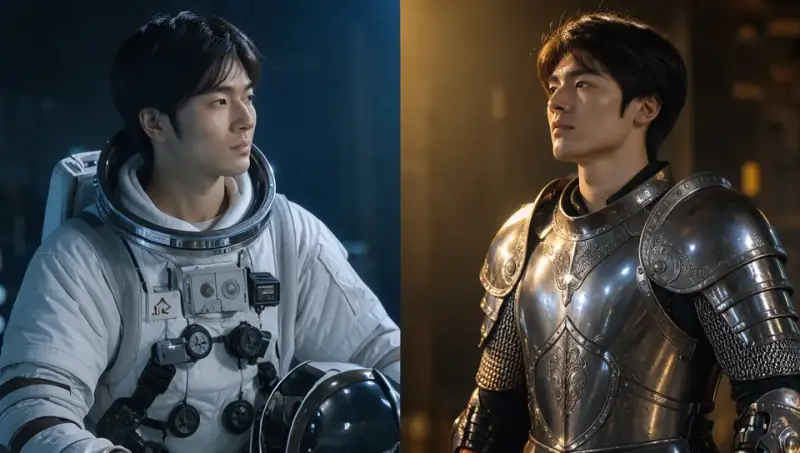
Kai, a young explorer with short black hair and calm, focused eyes

Up to 25 saved charactersCreate a Character

Apps

Ready-made tools for the jobs you repeat.

  • Talking Avatar, Lip-sync, Dubbing and Character Swap.
  • Product Shot, Effect Templates, Upscale and Remove Background.
  • No prompt expertise needed. Each app does one job.
Prompt

Welcome to our spring launch. Here is what is new this week.

12 ready-made toolsOpen the Apps

Faceless Video

Type one topic. Get a finished video.

  • Script, voice, visuals, captions and render in one flow.
  • Up to 10 minutes long, for YouTube, TikTok, Shorts and Reels.
  • Research Mode, Series, Brand Kit and 34 visual styles.
Prompt

The lost city of Petra and why its people vanished

Script, voice, visuals, captions and renderStart a Faceless Video
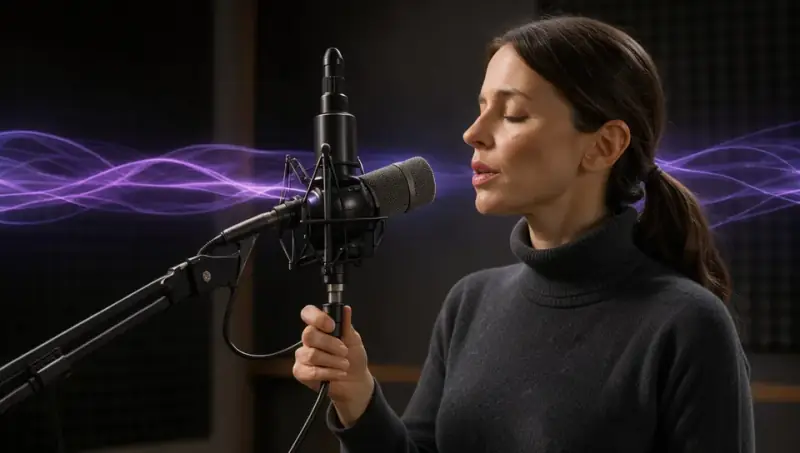
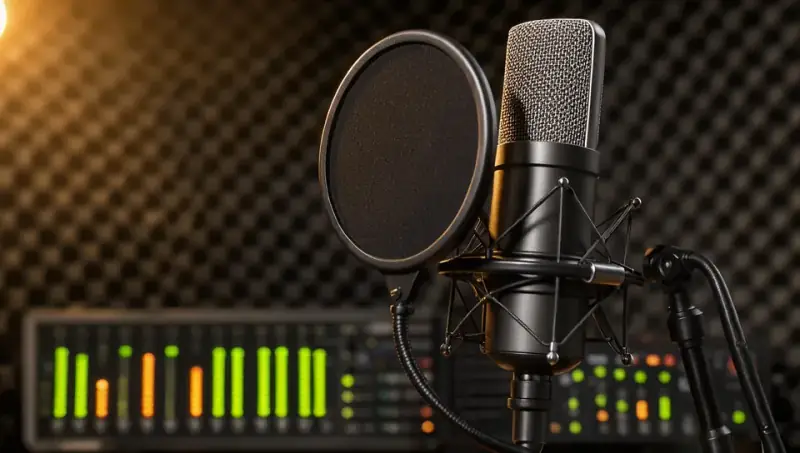
AI product photo of a glass perfume bottle on wet black stoneCreator recording a voiceover at a studio microphoneThe same AI character shown as an astronaut and as a knight

Example shown. In the Studio you type your own prompt.

Start With One Tool. Grow Into the Whole Studio.

From a single image to a weekly show, VirtualVault AI Studio grows with what you make.

Start Creating →

One Idea In. One Finished Video Out.

Type a topic and watch it become a script, a voiceover, scenes, captions and a final render, all in one connected flow.

Twelve Tools, Nothing to Install

Open any tool in your browser and start right away. Image, video, voice and apps all share one balance.

AI fashion editorial image of a woman in a magenta gownImage
Video
Talking Avatar
Voiceover

One Character, Every Scene

Save a character with Character ID and cast the same face in new places, outfits and stories.

The same AI character walking through a rainy night market
Tokyo
AI character portrait with a silver bob and green bomber jacket
Character ID
The same AI character on a desert ridge at golden hour
Desert

Run a Show, Not a One-Off

Series keeps your cast, look and voice, and each new episode builds on the last one.

Episode 1
Episode 2
Episode 3

Your Brand Comes With You

Brand Kit holds your logo, colors, fonts and default voice, so new videos start on-brand.

AI poster for a fictional cold brew can with the headline Slow Mornings

Making Content Shouldn't Take Five Subscriptions. It Should Take One.

An image tool. A video tool. A voice tool. An upscaler. An editor. Each one has its own login, its own credits and its own learning curve, and you end up moving files between tabs instead of making things.

VirtualVault AI Studio puts the whole job in one place. Create the character, shoot the clip, write the voiceover, dub it for another country and build the final video, all from one balance.

  • ImagesSeparate tool
  • Video clipsSeparate tool
  • VoiceoverSeparate tool
  • Upscaling and cut-outsSeparate tool
  • Editing and captionsSeparate tool
  • VirtualVault AI StudioAll of it, one credit balance

"I don't know which AI model to use."

Every model tells you what it does best in plain words. New here? Start with Kling for video and Nano Banana Pro for images with text.

"I don't have time to learn five new tools."

Everything lives in one place with one login, so you only learn one studio.

"My character looks different in every shot."

Save a character once with Character ID and reuse it across your images and videos.

The Top AI Models. Without the Extra Accounts.

Choose by the job, not the brand name. Each model shows what it does best.

Start Creating →

AI Video Generators

Film-grade realism, with optional native sound.

Up to 9 references and free native sound.

The best all-rounder, with smooth, cinematic motion at 1080p.

Expressive faces and dramatic physics.

Keeps your character from reference images.

Quick motion, good for B-roll and simple moves.

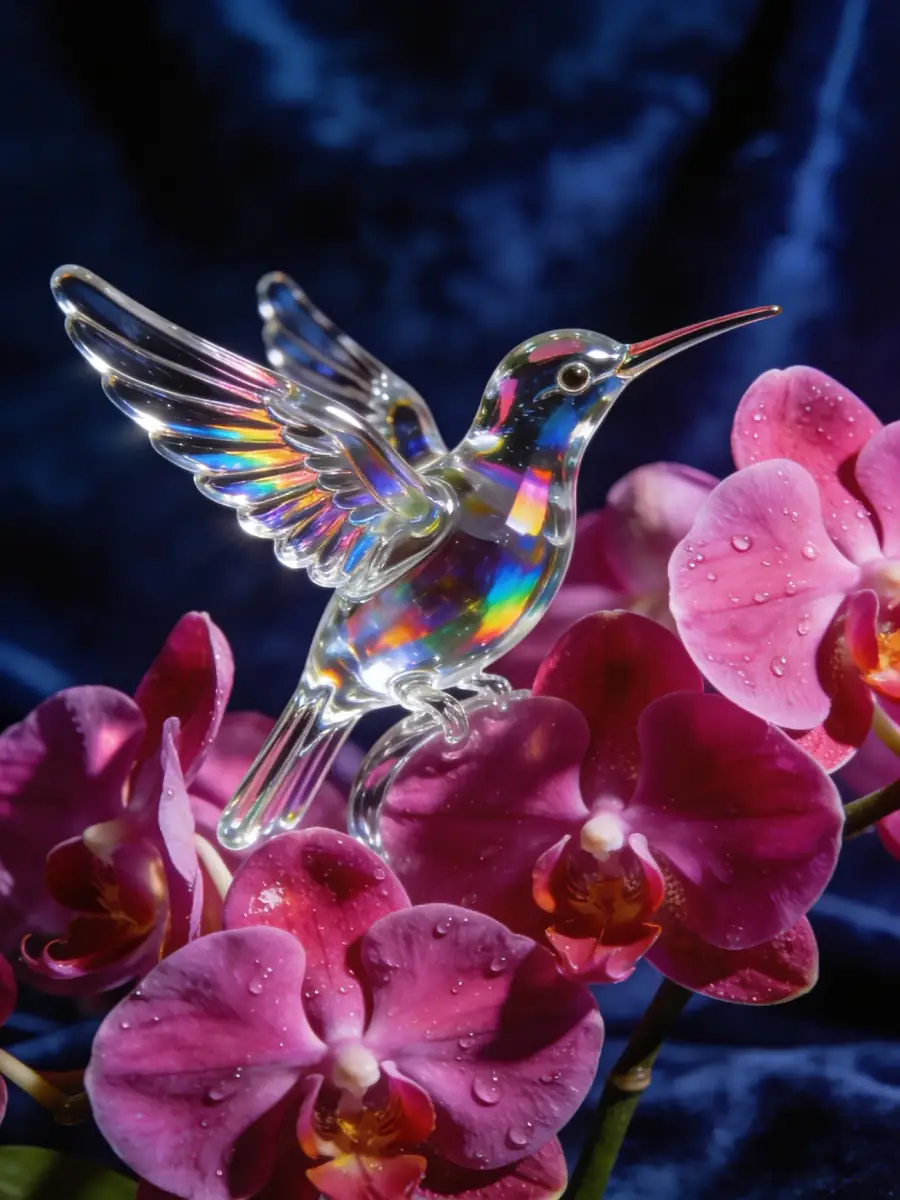
AI-generated glass hummingbird among magenta orchids

AI Image Generators

Dense text, infographics and the strongest character consistency.

Follows long instructions and layouts, and is great for edits.

Photoreal people, posters and products.

Fast everyday images with sharp English text.

AI Voice Generators

The most human voice model. Understands tags like [whispers] and [laughs].

Emotional delivery in 40 languages, including Hindi.

Fast, very clean voiceovers.

Natural narration in 30+ languages.

New Models Added Regularly

New models and tools are added regularly, with nothing extra to sign up for.

Twelve Tools. One Credit Balance.

Each tool does one job, so you always know where to start.

Talking Avatar

Turn a photo or saved character into a presenter that speaks your script, for up to 60 seconds.

Lip-sync

Make any video say new lines in any voice.

AI Dubbing

Translate a video into Hindi, Spanish, Portuguese, French, German, Arabic, Japanese or Indonesian, keeping the original voice. Files up to 10 minutes.

Product Shot in VirtualVault AI Studio

Product Shot

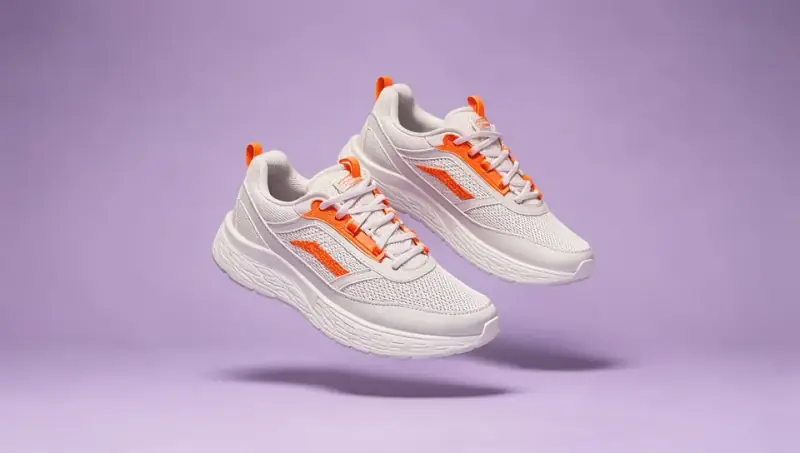
Upload a product and get studio and lifestyle scenes without booking a shoot.

Character Swap

Put one of your saved characters into any scene or template, as an image or a video.

Effect Templates

One-click viral effects: explode, melt, levitate, turn to gold and more.

AI Upscaler in VirtualVault AI Studio

AI Upscaler

Sharpen and enlarge images, or bring videos up to 1080p.

Background Remover in VirtualVault AI Studio

Background Remover

Clean cut-outs for thumbnails, listings and products.

Text to Speech in VirtualVault AI Studio

Text to Speech

Studio-quality voiceovers in 30+ languages, with speed and emotion control on supported models.

Voice Clone in VirtualVault AI Studio

Voice Clone

Clone your own voice once and use it in every tool.

Available on Max and Legend.
Voice Design in VirtualVault AI Studio

Voice Design

Describe a voice that does not exist yet and make it yours.

Available on Legend.
Sound Effects in VirtualVault AI Studio

Sound Effects

Type a sound and get 2, 5 or 10 seconds of audio.

Clips Are Easy. Finished Videos Are the Hard Part.

Most AI video tools hand you a few seconds of footage and leave the rest to you. VirtualVault AI Studio writes the script, voices it, builds every scene, burns in the captions and renders the whole video. It is the faceless video generator our creators already rely on, now inside a full AI studio.

How It Works

  1. 1. Start with anything.

    Enter a topic, paste an article link, upload a document or bring your own script.

  2. 2. Shape the video.

    Pick a length, language, voice, visual style and audience region. AI builds every scene.

  3. 3. Export it.

    Render 16:9 for YouTube, or 9:16 for TikTok, Shorts and Reels.

Built for People Who Post. Not Just People Who Prompt.

Whatever you publish, the whole production lives in one place.

Faceless Creators

Build a channel without a camera or a microphone.

You can:

  • Publish long videos and Shorts from one topic.
  • Research factual stories with live web sources.
  • Run a recurring show with the same cast and voice.
  • Post in other languages to reach new audiences.

Popular niches: history, finance, true crime, science, stoicism, horror and motivation.

Brands and E-commerce Sellers

Show up with fresh product content without booking a shoot.

You can:

  • Turn one product photo into studio and lifestyle scenes.
  • Cut out backgrounds for listings and marketplaces.
  • Create product videos and short ads for every feed.
  • Save your logo, colors, fonts and default voice in Brand Kit.
  • Import your brand directly from your website.

Ad Agencies and Marketing Teams

Go from brief to testable ad concepts in one session.

You can:

  • Produce image and video variations for different hooks and audiences.
  • Compare models on the same idea and pick the best result.
  • Use Talking Avatar for spokesperson-style ads.
  • Dub winning ads into new markets.
  • Run up to 12 generations at once on Legend.

AI Influencers and Virtual Creators

Create a character people can follow.

You can:

  • Design an original character and save it to Character ID.
  • Place the same face in new outfits, locations and stories.
  • Give your character its own voice.
  • Make it talk with Talking Avatar and Lip-sync.
  • Post photos, Reels, Shorts and full episodes.

Build original characters, and only use a real person's face or voice with their permission.

Social Media Creators and Influencers

Keep up with the feed without burning out.

You can:

  • Make scroll-stopping clips, effects and thumbnails.
  • Clone your voice and voice posts without recording.
  • Turn one idea into vertical and widescreen versions.
  • Add ready-made caption styles to every video.

Educators and Course Creators

Turn what you know into video.

You can:

  • Convert lessons, notes and documents into narrated videos.
  • Use a talking presenter for course introductions.
  • Create visuals for explainers and study guides.
  • Teach in more languages.
AI image of a mint-green typewriter on a sunlit desk

Writers, Bloggers and Newsletter Owners

Give every article a second life.

You can:

  • Paste an article link and get a video script.
  • Use your own script word for word.
  • Create cover images and thumbnails.
  • Add a voiceover in your own cloned voice.

Small Businesses and Local Services

Look professional without a marketing department.

You can:

  • Make promos, offers and announcements.
  • Create posters and social posts.
  • Add a clear voiceover in your customers' language.
  • Sharpen and clean up your existing photos.

Filmmakers and Storytellers

Test your ideas before you commit to production.

You can:

  • Draft characters, worlds and key frames.
  • Direct shots with camera moves and start and end frames.
  • Add voices and sound effects to a rough cut.
  • Keep the same cast from scene to scene.

What Will You Make First?

From a single product photo to a full video series, make every format you post in one place.

Start Creating →

Ads and Marketing

Product videos, short video ads, spokesperson ads and localized campaigns.

AI product photo of sage-green headphones above wet black stone

Product Photos

Studio and lifestyle shots, posters and campaign visuals for every listing and feed.

Social Content

Thumbnails, viral effect clips, talking avatars, AI influencers and captioned videos.

Video Channels

YouTube videos, Shorts, TikToks and Reels, from explainers and true crime stories to news recaps, course lessons and full series, with voiceovers and dubbing in your language.

The Same Face. The Same Voice. The Same Brand.

Good content is easy to recognize. VirtualVault AI Studio remembers yours, so you do not have to start from zero every time.

Character ID in VirtualVault AI Studio

Character ID

Save up to 25 characters, depending on your plan, and keep them consistent across images and videos.

Your Voices in VirtualVault AI Studio

Your Voices

Save your cloned and designed voices and use them in any project.

Brand Kit in VirtualVault AI Studio

Brand Kit

Save your colors, fonts, logo and default voice, and let new videos start on-brand.

Series

Lock in the look, cast and voice of a show, then let every new episode inherit them.

Make It Once. Reach the World.

Write scripts in 70+ languages, including Hindi, Hinglish, Spanish, Portuguese, Arabic, French, German, Japanese and Tamil. Narrate in 30+ languages, and dub finished videos while keeping the original speaker's voice.

Trusted by Creators Worldwide.

Trustpilot Rated 4.5/5 (Excellent)

"Wow. I am just amazed with Virtualvault Ai"

I always thought about the 'One click video' as a dream for me. But now it is real.
Rashid Sohail, IN, July 15, 2026

"Currently having a great time with this app"

One great feature of this app is that it allows me to give it my own script and it does the job just the way I want it.
KALU IGWE, NG, July 15, 2026

"A great platform to create videos"

A great platform to create videos and with everything necessary to start a channel. I'm really enjoying using it.
João Silva, BR, July 15, 2026

Read all reviews on Trustpilot.com

Frequently Asked Questions.

Everything you need to know about the studio, credits and plans.

Have a custom question? We're active inside support.

What is VirtualVault AI Studio?

VirtualVault AI Studio is an all-in-one AI studio for images, video, voice, characters and finished faceless videos. You use one login and one credit balance across all of it.

Is VirtualVault still a faceless video tool?

Yes. The faceless video builder is still here, with Research Mode, Series and Brand Kit. It now sits in its own Faceless Video tab, inside a full AI studio.

Which AI models can I use?

Video models include Veo 3.1 Fast, Seedance 2.0, Kling 2.5 Turbo, Hailuo 2.3, Seedance Lite and Wan Fast. Image models include Nano Banana Pro, GPT Image 1.5, Seedream 4.5 and VV Exclusive. Voice models include ElevenLabs, MiniMax and VV Exclusive.

Do I need separate accounts for each model?

No. Everything runs from your VirtualVault login and credits.

How do credits work?

Each run shows its cost first, and cheaper models cost less. Failed runs are refunded automatically.

Can I make AI influencers with VirtualVault AI Studio?

Yes. Design an original character, save it with Character ID, place it in new images and videos, give it a voice and make it talk with Talking Avatar. Use a real person's likeness only with their permission.

Can I keep the same character across images and videos?

Yes. Character ID saves a character so you can reuse it. Pro includes 5 characters, Max includes 10 and Legend includes 25. Creating a character from a photo requires Max or Legend.

Can I make product photos and ads?

Yes. Upload a product to create studio and lifestyle scenes, then turn those images into video ads with any video model.

Can I use my own voice?

Yes, on Max and Legend. Clone your voice from a short sample and use it in any project. You may only clone your own voice or a voice you have permission to use.

Which languages are supported?

Scripts support 70+ languages, narration supports 30+ languages and AI dubbing currently supports 8 target languages.

How long can my videos be?

Faceless videos can run up to 10 minutes. Video model clips run up to 10 seconds each, depending on the model.

Can I use VirtualVault AI Studio for commercial work?

Yes. Paid plans can be used for commercial content, subject to our Terms of Service.

Can I use lifetime credits on premium models?

Lifetime credits cover VV Exclusive models, Background Remover, image upscaling and Faceless Video. Premium models use top-up credits.

Is there a free plan?

There is no free plan or free trial for creating content. Every first purchase comes with a 14-day money-back guarantee.

Do I need any experience?

No. If you can describe what you want, you can make it.

Can I cancel anytime?

Yes, in one click from your dashboard. You keep your plan and credits until the end of the billing period.

What is your refund policy?

We offer a risk-free 14-day money-back guarantee on initial purchases. If it does not fit your goals, email us within 14 days of purchase and we will issue a full refund. Refunds apply to initial purchases only, not to recurring subscription renewals.

Your Next Post Won't Make Itself.

Images, clips, voices and finished videos, all in one place. Pick an idea and start now.

Start Creating →
  • 14-Day Money-Back Guarantee
  • Pay Once or Monthly
  • Credits Refresh Every Month
VirtualVault character illustration

Did you know?

Since 2023, VirtualVault has helped 25,000+ creators and entrepreneurs grow their content business with AI-powered faceless videos — no camera, no editing, no burnout.

OK, got it!